Best NVMe SSDs for Practical PC Upgrades
A storage upgrade is one of the few PC improvements that can still feel immediate without replacing the motherboard, CPU, or graphics card. The catch is that NVMe SSD shopping is crowded with headline read speeds, while the parts that decide whether an upgrade works are less glamorous: laptop clearance, DRAM or Host Memory Buffer, controller heat, sustained writes after the cache fills, PS5 height limits, and whether the warranty makes sense for the amount of data you write.
Our practical view is straightforward: for most UK buyers in 2026, a strong PCIe 4.0 TLC NVMe SSD is still the sensible upgrade point. PCIe 5.0 can be faster in long sequential transfers, but it often needs more cooling and a newer platform. A well-chosen Gen4 drive can already cover Windows, game libraries, creator storage, and PS5 expansion while keeping compatibility easier to manage. This guide uses manufacturer specifications, warranty and TBW figures, Sony's PS5 guidance, and independent review evidence rather than claiming our own lab results.
For broader upgrade planning, pair this guide with How Much RAM Do You Need in 2026?, Best Repairable Laptops for Longer Ownership, Best Student Laptops in the UK for 2026, and USB-C vs Thunderbolt Docks: A Compatibility Guide. Our standards are on About PKH Computing and Editorial Policy.
Best NVMe SSDs for practical PC upgrades: quick picks
| SSD | Practical role | Interface | DRAM or HMB | Typical strengths | Watch before buying |
|---|---|---|---|---|---|
| Samsung 990 Pro | Conservative high-end Gen4 pick | PCIe 4.0 x4, NVMe | DRAM | Very high peak speed, Samsung software support, console-suitable specification | Check seller quality and firmware history; heatsink version may be too tall for some laptops |
| WD_BLACK SN850X | Gaming desktop and PS5-friendly option | PCIe 4.0 x4, NVMe | DRAM | Optional heatsink, strong game-drive positioning, wide capacity range | Laptop buyers should choose the bare version and check single-sided or double-sided fit |
| Crucial T500 | Balanced upgrade for PCs and creators | PCIe 4.0 x4, NVMe | DRAM | Up to 7,400MB/s reads, DirectStorage support, heatsink or non-heatsink versions | Sustained writes and heat still depend on airflow |
| Kingston KC3000 | Endurance-oriented Gen4 workhorse | PCIe 4.0 x4, NVMe | DRAM | 2TB model rated at 1.6PBW, fast Phison E18 platform | High-performance controller can run hot without airflow |
How we shortlisted these drives
We prioritised models sold through mainstream UK retailers or manufacturer channels, using the common M.2 2280 form factor and publishing clear specification and warranty data. We avoided live prices because SSD pricing moves quickly; value here means matching capacity, endurance, cooling, and interface to the machine you already own.
The baseline facts come from official pages: Samsung lists the 990 Pro UK product page, SanDisk lists the WD_BLACK SN850X, Crucial publishes the T500 product page, and Kingston publishes the KC3000 page. For console fit, Sony's UK support page says PS5 expansion drives need PCIe Gen4 x4 NVMe, 250GB to 8TB capacity, a recommended sequential read speed of 5,500MB/s or faster, and effective heat dissipation.
Independent evidence matters because SSDs are not just peak benchmark devices. Tom's Hardware notes the 990 Pro's efficiency and KC3000 thermal behaviour, while PCGamer's SN850X coverage highlights cooler-running normal use.
Samsung 990 Pro: the safe high-end Gen4 default
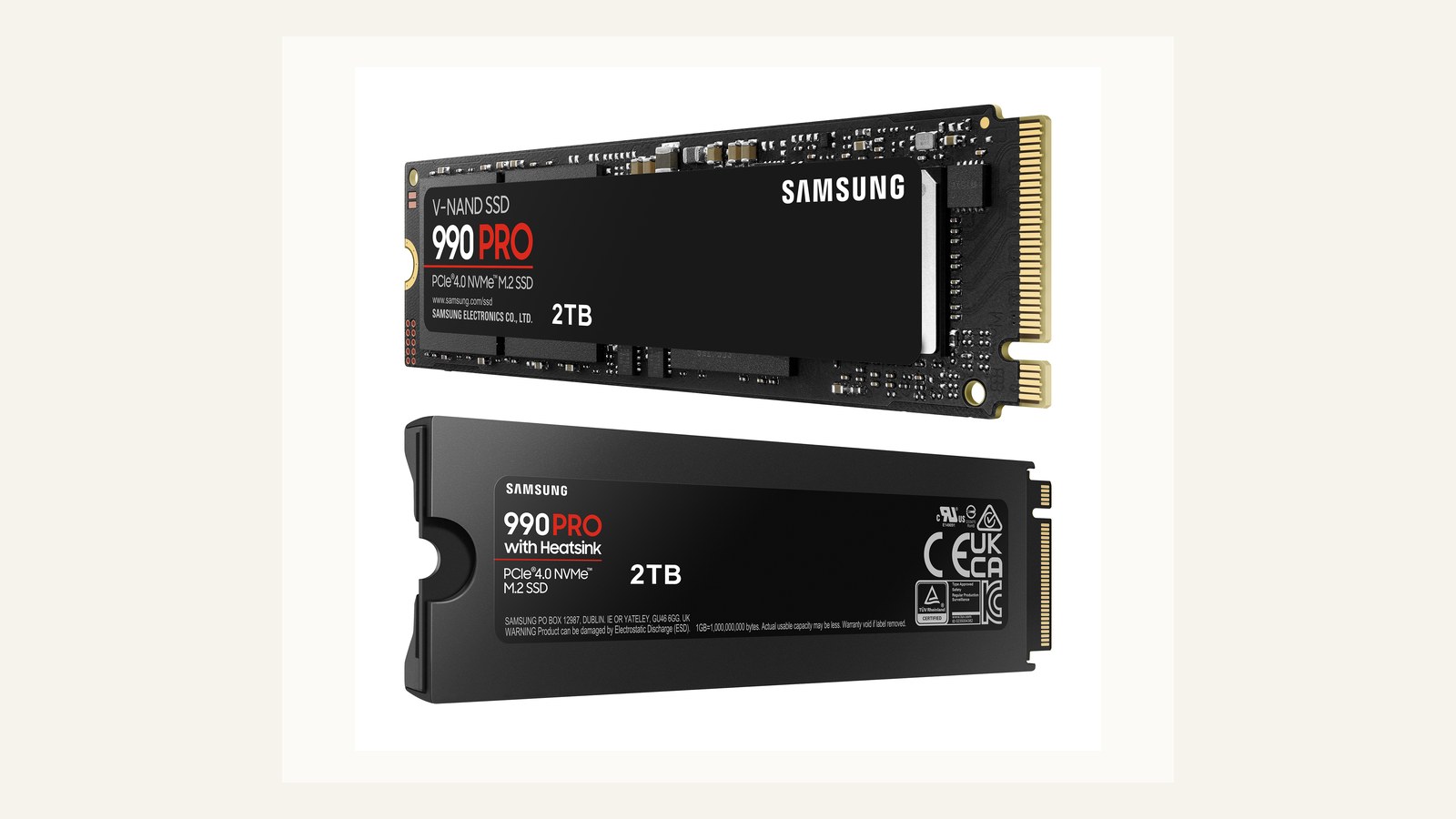
The Samsung 990 Pro is the drive to consider when you want a premium PCIe 4.0 upgrade and would rather not gamble on a no-name controller or unclear firmware support. Samsung's UK page identifies the 2TB MZ-V9P2T0BW model and lists PCIe Gen 4.0 x4, NVMe 2.0, up to 7,450MB/s sequential read, up to 6,900MB/s sequential write, and five-year or 1,200TBW limited warranty coverage for that capacity. It uses Samsung's own controller and TLC NAND with DRAM cache rather than a DRAM-less HMB-only layout.
In practical terms, the 990 Pro makes most sense for a desktop boot drive, high-end game library, or PS5 expansion if the cooling setup fits. Ordinary Windows use and game loading will often be limited by software, CPU, and random access behaviour, not the last few hundred megabytes per second. Laptop buyers should favour the bare M.2 2280 version and check clearance before choosing any heatsink model.
One caution is seller quality. Counterfeit and mislabelled SSD stories are common enough that a premium model should come from a retailer with a clear returns process. After installation, Samsung Magician can help identify firmware and drive health.
WD_BLACK SN850X: the gaming and PS5-friendly choice
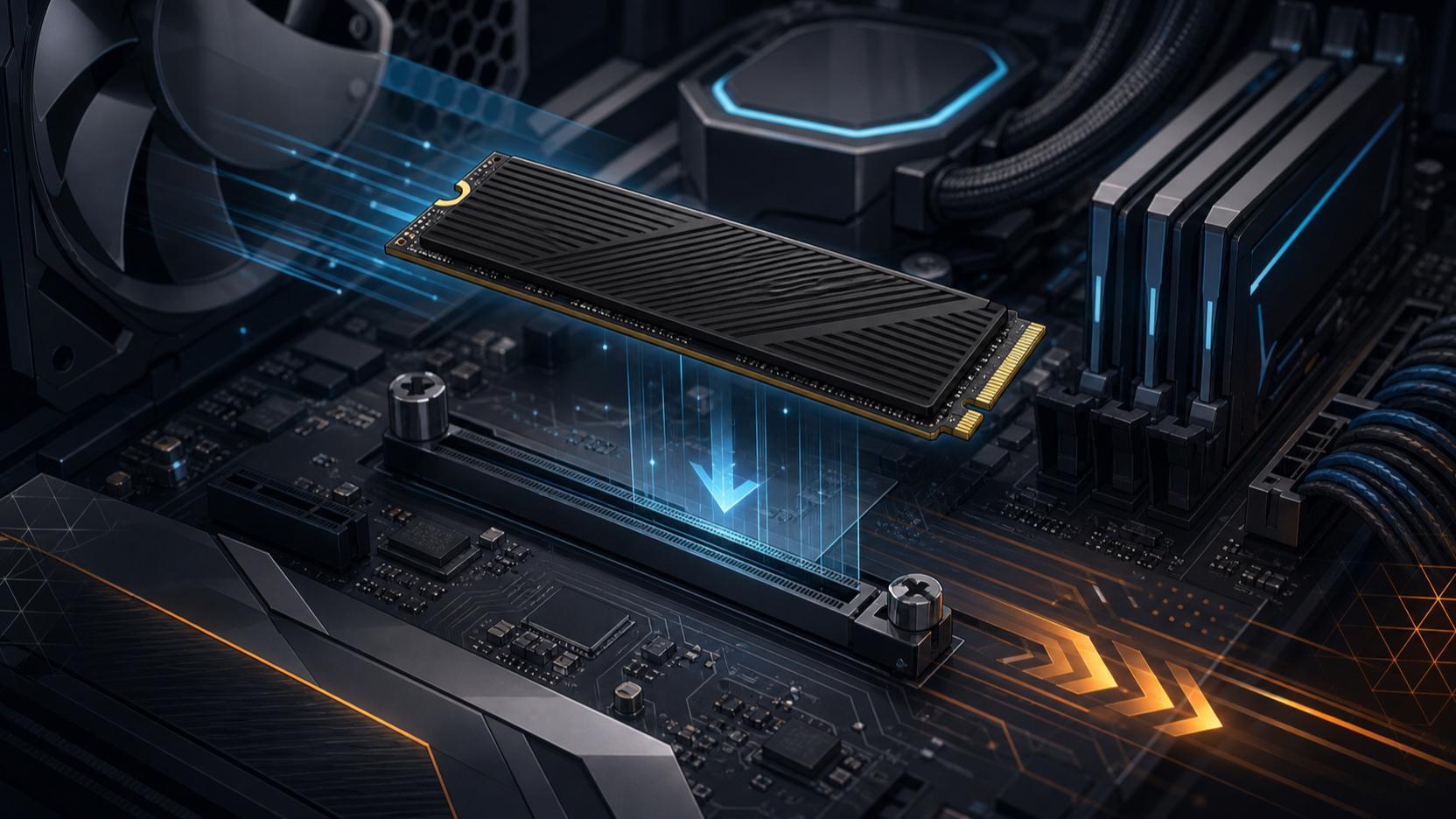
The WD_BLACK SN850X is built around a gaming brief: fast PCIe 4.0 throughput, wide capacity options, optional heatsink models, and software support through WD_BLACK Dashboard on Windows. SanDisk positions the SN850X as an internal NVMe gaming SSD and lists up to 7,300MB/s read and up to 6,600MB/s write performance. The family is also widely sold in versions with and without heatsinks, which makes it easier to match a desktop motherboard, laptop, or PS5 installation.
The practical advantage is easy placement in a gaming desktop or Sony console. The heatsink version is useful for PS5 if the assembled height meets Sony's limit; the bare version is usually better for motherboards with M.2 shields or laptops with tight covers. PCGamer's later SN850X coverage notes cooler-running normal use.
The main caveat is fit discipline. Do not buy the heatsink version for a thin laptop unless the service manual allows it, and do not use the bare version in a PS5 without a compatible cooling structure. If your motherboard already has an M.2 cover, avoid stacking coolers.
Crucial T500: balanced speed for mainstream creator PCs
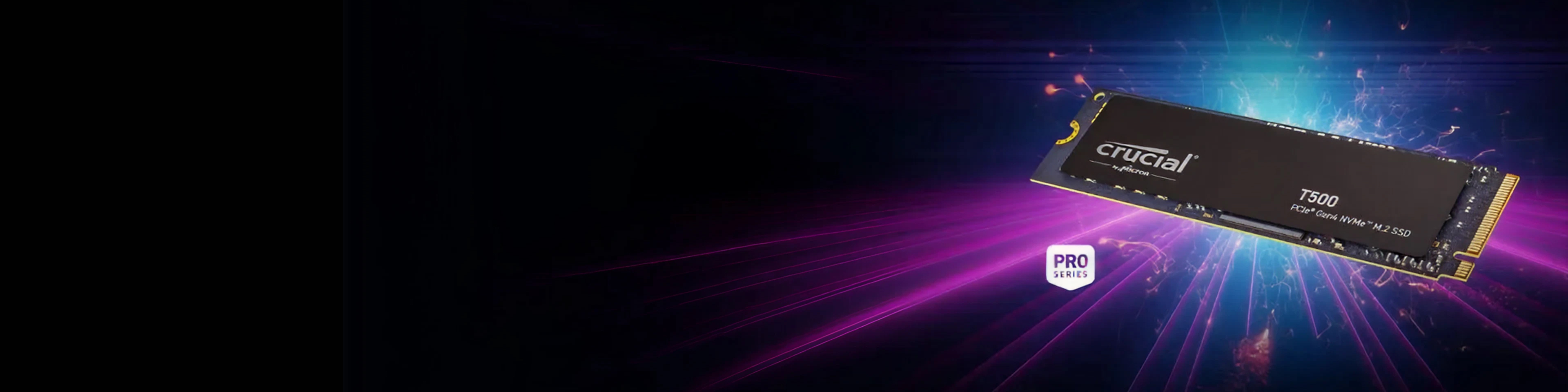
The Crucial T500 is a strong middle-ground pick for builders who want modern Gen4 speed without jumping to PCIe 5.0 heat. Crucial lists the 2TB CT2000T500SSD8 as a PCIe Gen4 NVMe M.2 SSD and cites up to 7,400MB/s sequential read performance in its product notes. The page also states that warranty coverage runs for five years from original purchase or until the published TBW limit is reached, whichever comes first. The T500 uses DRAM cache, which is useful for mixed desktop and creator workloads.
This drive fits a practical brief because it comes in non-heatsink and heatsink versions. The non-heatsink model suits laptops and motherboard slots with covers; the heatsink model is more relevant for PS5 or desktops without an M.2 cooler. For photo libraries and creative scratch space, the T500 gives modern speed without unrealistic platform demands.
Treat the top sequential number as a peak figure, not a permanent write rate. Long exports, very large file copies, and cramped laptop bays can expose thermal or cache limits, so airflow and capacity still matter.
Kingston KC3000: the endurance-heavy Gen4 workhorse

The Kingston KC3000 is older than some fashionable Gen4 rivals, but it remains relevant because its specification is transparent and its endurance ratings are strong. Kingston lists PCIe 4.0 x4 NVMe, an M.2 2280 form factor, Phison E18 controller, 3D TLC NAND, DRAM cache, and up to 7,000MB/s read and write depending on capacity. The 2TB model is rated at 1.6PBW, which is the same as 1,600TBW, and the family carries a five-year limited warranty.
Treat the KC3000 as a desktop, performance PC, or workstation-style upgrade rather than the easiest laptop fit. It uses a graphene-aluminium heat spreader label, but still benefits from airflow. Tom's Hardware noted controller thermal throttling behaviour, which is why a motherboard M.2 heatsink or direct case airflow matters. For write-heavy local libraries, archives, or scratch folders, endurance is the reason to keep it shortlisted.
For PS5, the raw speed is suitable, but the module still needs a heatsink assembly inside Sony's size limits. For laptops, confirm capacity and physical layout before assuming electrical compatibility is enough.
PCIe generation, DRAM, HMB, and thermals explained
PCIe generation tells you the maximum bus bandwidth, not the whole user experience. PCIe 3.0 NVMe is still usable for many office and older laptop upgrades. PCIe 4.0 is the current practical sweet spot because it is widely supported by modern AMD and Intel platforms and meets PS5 speed guidance when paired with the right drive. PCIe 5.0 is faster on paper, but many drives need larger heatsinks and a newer motherboard to make sense.
DRAM cache is useful on performance SSDs because the controller can keep its mapping table on the drive. HMB lets a DRAM-less NVMe drive borrow a little system memory, which can suit budget laptops. The console note is important: Sony says PS5 does not support Host Memory Buffer, so HMB-dependent drives may perform worse there.
Thermals are the quiet deal-breaker. A desktop motherboard heatsink can rescue a bare drive, a laptop lid can trap heat, and a PS5 needs cooling within strict height limits. Before buying, check your device manual, not just the SSD product page. For wider upgrades, our RAM capacity guide and USB-C versus Thunderbolt dock guide can help you avoid the wrong bottleneck.
Quick fit checks before you order
Before choosing capacity or brand, confirm three physical details. First, check that your slot accepts M.2 2280 NVMe rather than SATA-only M.2 storage. Second, look for clearance notes: slim laptops may reject tall heatsinks, and some high-capacity SSDs can be double-sided. Third, match cooling to the device, whether that means a motherboard shield or a PS5 heatsink assembly inside Sony's size envelope.
Capacity is next. A 1TB drive is the minimum comfortable boot-drive size for most buyers because Windows, applications, recovery partitions, and a few large games can fill smaller drives quickly. A 2TB drive is more relaxed for a gaming PC, creator laptop, or PS5. A 4TB drive can suit large local libraries, but check module layout, warranty value, and price history. Students and laptop owners should also ask whether money is better spent on a more repairable machine or stronger base configuration; see our repairable laptop shortlist and student laptop guide.
Final verdict
If you want one conservative high-end answer, choose the Samsung 990 Pro with the right cooling situation for your device. If the upgrade is mainly for a gaming desktop or PS5, the WD_BLACK SN850X is the clean gaming-focused pick. If you want a balanced desktop or creator upgrade, the Crucial T500 is easy to place. If endurance is high on your list and your system has airflow, the Kingston KC3000 deserves the shortlist.
The right NVMe SSD upgrade is not the drive with the biggest number on the box. It is the one that fits your slot, stays cool, has a credible warranty and endurance rating, and matches how often you write large files.
FAQs
Is PCIe 5.0 worth it for a normal PC upgrade?
Usually not as a first priority. PCIe 5.0 can help heavy sequential workloads on a compatible platform, but most gaming, Windows, and general creator tasks are already well served by a good PCIe 4.0 TLC drive. It also tends to bring higher heat and larger cooling requirements.
What capacity should I buy for a practical NVMe upgrade?
For most buyers, 1TB is the minimum comfortable boot-drive size and 2TB is better for games, photos, and applications. Go 4TB for large local libraries, but check whether your laptop or motherboard handles double-sided modules.
Do I need a heatsink on an NVMe SSD?
It depends on the device. A desktop motherboard may already include an M.2 heatsink, a PS5 requires effective heat dissipation, and a laptop may not have space for an aftermarket heatsink. Match cooling to the slot rather than buying the largest heatsink by default.
Are DRAM-less NVMe SSDs bad?
No. A good DRAM-less HMB drive can be fine for everyday laptops and budget desktops. This shortlist favours DRAM-equipped drives because they are more predictable for performance PCs, heavier writes, and PS5 use, where Sony says HMB is not supported.
Can I use any M.2 NVMe SSD in a PS5?
No. Sony requires a PCIe Gen4 x4 M.2 NVMe drive, 250GB to 8TB capacity, supported M.2 length, recommended 5,500MB/s or faster sequential read speed, and effective heat dissipation. Sony also says PS5 does not support HMB.
Should I trust advertised read and write speeds?
Use them as a starting point, not a verdict. Peak sequential speeds are measured under favourable conditions. Sustained writes, thermals, random reads, warranty handling, and fit can matter more after installation, which is why this guide weighs independent evidence alongside manufacturer specifications.
Sources and editorial notes
This article uses the official manufacturer and Sony pages linked above, plus independent review context from Tom's Hardware on the Samsung 990 Pro, PCGamer on the WD_BLACK SN850X, Tom's Hardware on the Kingston KC3000, and PCGamer's 2026 M.2 SSD guide for generation and gaming-drive context. PKH Computing may earn commission from future retailer links, but this page does not invent prices or claim hands-on lab results.