Best Repairable Laptops for Longer Ownership
A repairable laptop gives you options after the warranty clock starts ticking: a battery you can replace, an SSD you can move to a larger drive, a keyboard or port board that is not a write-off, and a parts path that does not depend on auction-site luck.
PKH Computing has not performed first-hand teardown work on these models. This guide compares UK-buyable repairability candidates using official product pages, manufacturer repair or parts documentation, warranty information, and independent repairability evidence. Our practical thesis is simple: buy the laptop with the repair path you will actually use, not the one with the loudest sustainability claim. You can read how we handle evidence in our editorial policy and learn more about the site on About.
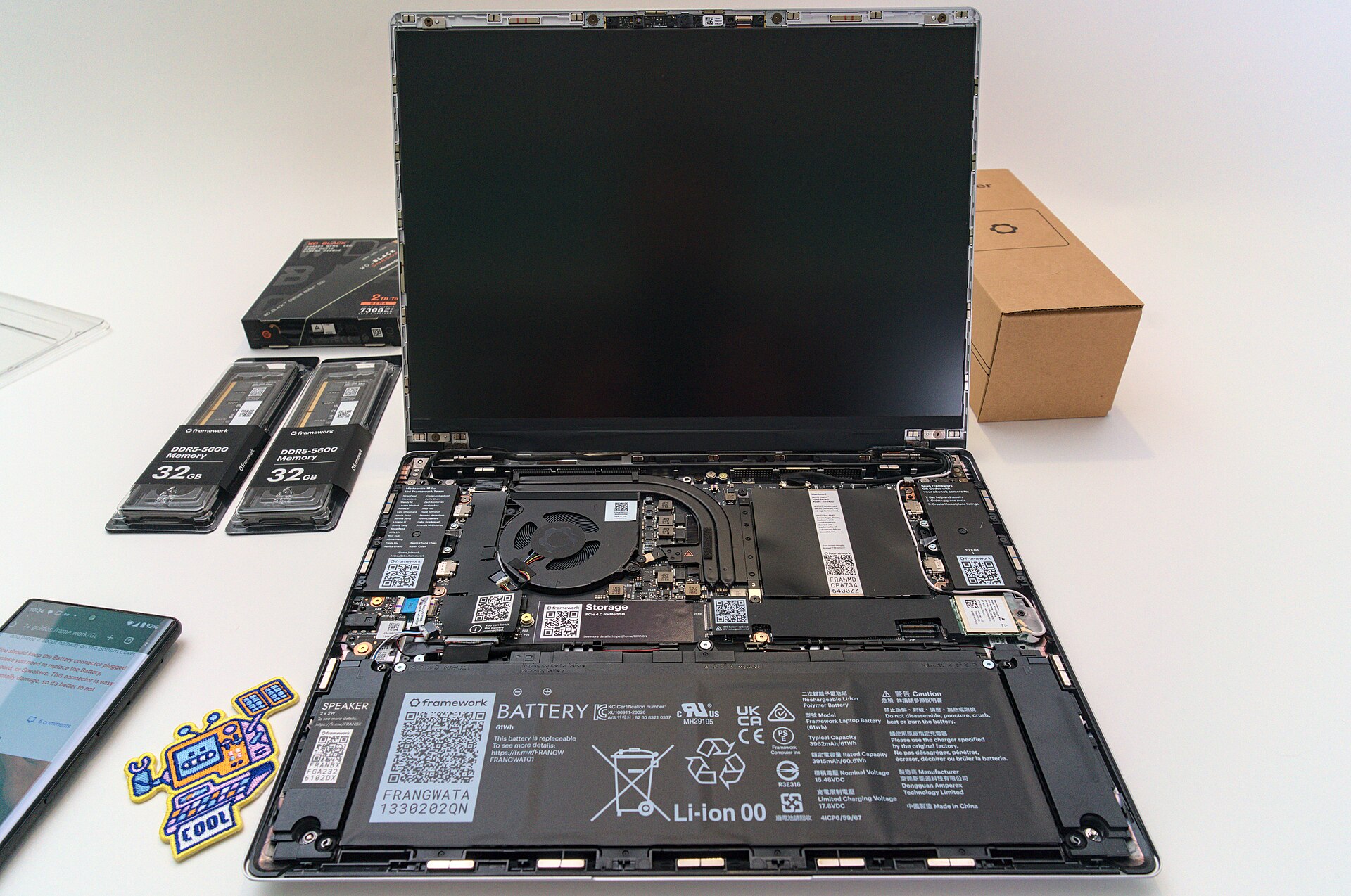
What makes a laptop repairable in real ownership?
The first check is access. A laptop that opens with standard screws and clear steps is easier to maintain than one that needs heat, adhesive, or risky clips. The second check is parts. Repair guides matter only if batteries, keyboards, ports, screens, hinges, and boards can be bought without relying on auction-site luck. The third check is upgrade scope. A socketed SSD is useful; socketed RAM is better; a replaceable mainboard or GPU module is rare.
The fourth check is warranty logic. Some brands are friendly to business servicing, some are friendly to individual DIY repairs, and some make repairs possible but expensive. Repairability is a long-ownership tool, not a reason to ignore display quality, keyboard comfort, memory capacity, support cover, or day-one price.
Affiliate disclosure: PKH Computing may earn commission from qualifying retailer links in some buying guides. Evidence links below are included for reader verification, not as first-hand lab claims.
Quick comparison: repairability tradeoffs
| Laptop | Best fit | Modular strengths | Main ownership caution |
|---|---|---|---|
| Framework Laptop 13 AMD Ryzen AI 300 | Buyers who put DIY repair first | Replaceable mainboard, battery, display, keyboard, ports, RAM, and SSD | Costs more than many conventional 13-inch laptops |
| Framework Laptop 16 AMD Ryzen AI 300 | Power users who want modular performance | Expansion Bay, six Expansion Card slots, replaceable battery, memory, storage, and GPU path | Large, expensive, and less polished than fixed-design rivals |
| Lenovo ThinkPad T14 Gen 6 | Business buyers wanting serviceable mainstream design | Battery, keyboard, SSD, memory, and WWAN service options on selected configurations | Some configurations use soldered LPDDR5x memory |
| Dell Pro 14 Plus | Fleet or home-office buyers wanting practical access | Captive screws, accessible SSD, battery, touchpad, and several internal modules | RAM is soldered, and higher service cover costs extra |
Framework Laptop 13 AMD Ryzen AI 300: the clearest DIY repair choice
The Framework Laptop 13 is still the reference point for a repair-first 13-inch notebook. Framework's UK page says the 2025 AMD Ryzen AI 300 version is designed to be customised, upgraded, and repaired, with replaceable parts using the tool supplied in the box. The same page lists standard M.2 SSD support up to 8TB, upgradeable DDR5 memory up to 96GB, a 61Wh battery rated to retain 80% capacity after 1,000 cycles, and configurable Expansion Cards for ports: Framework Laptop 13 UK.
Framework also runs a UK Marketplace and a public repair-guide site. The Marketplace lists parts categories for mainboards, memory, storage, keyboards, batteries, displays, bezels, expansion cards, and tools, while Framework Guides separates repair procedures by product family: Framework Marketplace and Framework Guides.
iFixit provides dedicated Framework Laptop repair help, and The Verge's 2025 Framework Laptop 13 review describes the mature parts marketplace and continued upgrade path as the reason the machine stands apart from conventional ultraportables: iFixit Framework Laptop repair help and The Verge Framework Laptop 13 review.
Best for: buyers who expect to replace a battery, expand storage, change ports, or upgrade the mainboard over several years.
Skip if: you want the lowest upfront price, the longest battery life per pound, or a laptop that feels as refined as a sealed premium ultraportable.
Framework Laptop 16 AMD Ryzen AI 300: modular power with a bigger bill
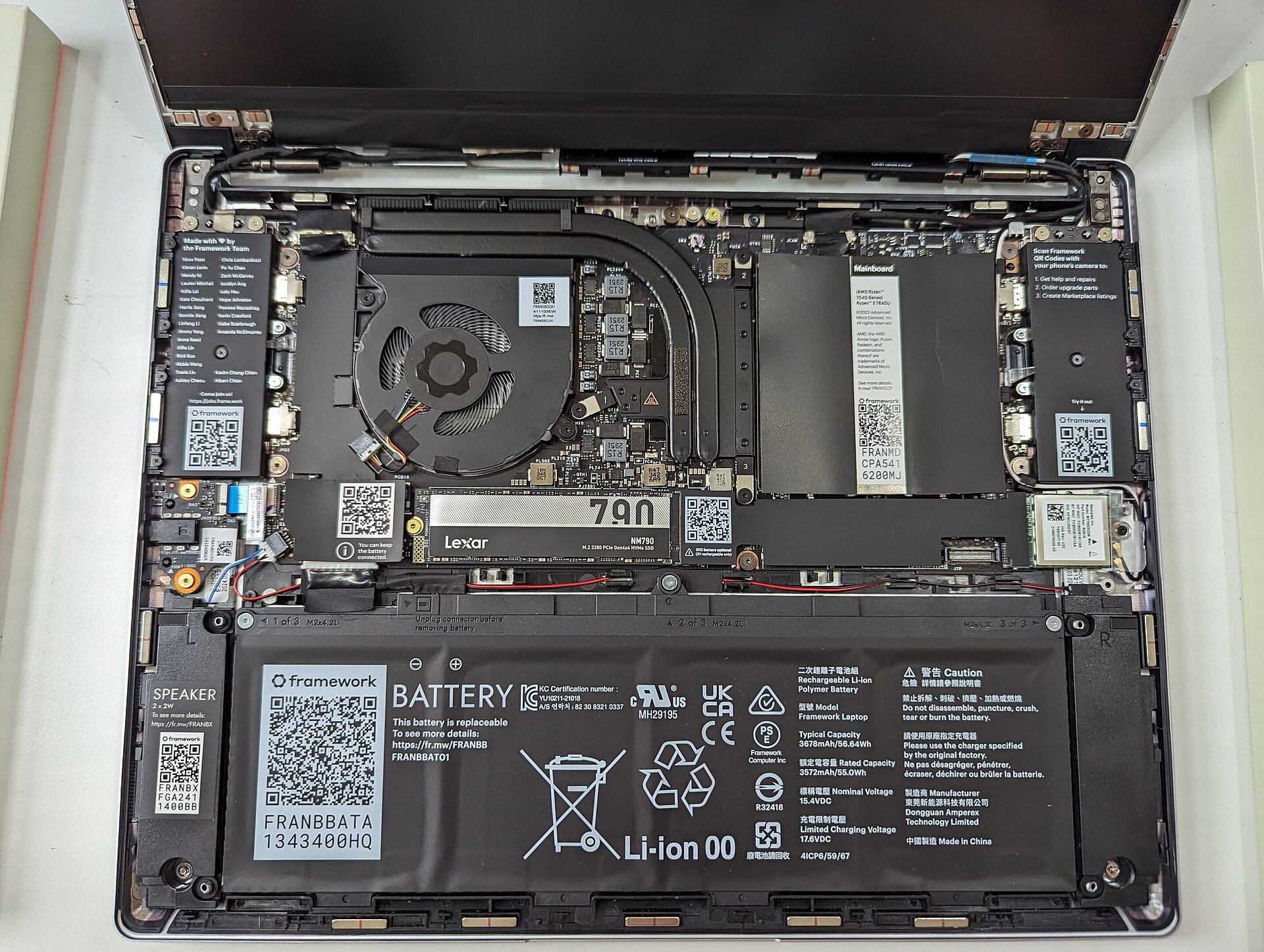
The Framework Laptop 16 takes the same repair logic and applies it to a larger, performance-focused machine. Framework's UK page lists six Expansion Card slots, a replaceable 85Wh battery designed for 80% capacity after 1,000 cycles, a 2560 x 1600 display up to 165Hz, keyboard modules with QMK firmware, and public documentation around input modules and the Expansion Bay: Framework Laptop 16 UK.
Its strongest ownership argument is the Expansion Bay. The 2025 refresh brought AMD Ryzen AI 300 mainboards and an Nvidia RTX 5070 GPU module path, with the GPU sold as an upgrade rather than forcing a whole laptop replacement. The Verge's Framework Laptop 16 coverage highlights that modular upgrade path, while also criticising build quality, display costs, crashes in review, and the high total price: The Verge Framework Laptop 16 review.
This is not the quiet default pick for a normal office buyer. It is a laptop for someone who values replaceable performance modules more than thinness, polish, or mainstream pricing. For creators, Linux users, repair enthusiasts, and long-cycle owners, that can make sense. For commuters, students, and people who mostly use browser apps, it is too much machine.
Best for: buyers who want repairability plus GPU or storage flexibility in a 16-inch chassis.
Skip if: you mainly need a quiet portable work laptop or you want predictable value from a fixed configuration.
Lenovo ThinkPad T14 Gen 6: business serviceability without full modularity
The ThinkPad T14 is not as modular as a Framework, but it is one of the more credible repairable business-laptop lines because Lenovo documents service parts and offers configurations with replaceable business components. Lenovo's PSREF database is the place to check the exact platform, memory type, storage slot, display, wireless card, and warranty configuration before buying: Lenovo PSREF.
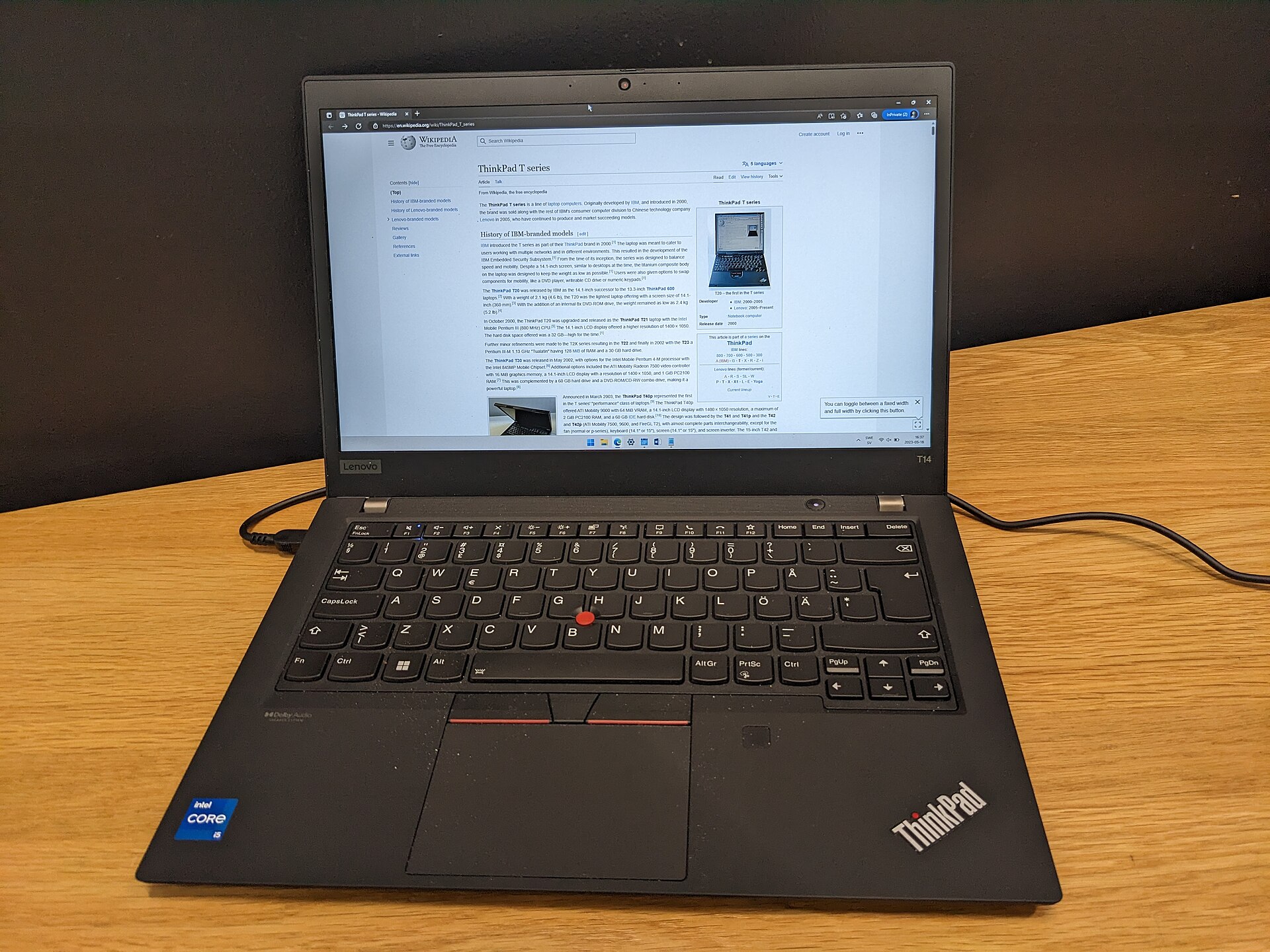
The important caveat is configuration. Some ThinkPad T14 variants use soldered LPDDR5x memory, while others use replaceable DDR5 SODIMM memory. That means the repairability decision is not simply “buy a T14”; it is “buy the T14 configuration with the service parts you care about”. Battery, SSD, and keyboard access are valuable, but soldered memory can still cap the useful life of an otherwise serviceable laptop.
Independent right-to-repair evidence is encouraging for the T-series direction. Lifewire reported Lenovo and iFixit repairability work around the ThinkPad T14 Gen 5, including easier access to battery, SSD, RAM, keyboard, and ports. Windows Central later reported Lenovo's T14 and T16 direction reaching a provisional iFixit perfect-score claim pending final parts and manual verification: Lifewire on ThinkPad T14 repairability and Windows Central on ThinkPad T14 and T16 repairability.
Best for: business buyers who want a familiar Windows laptop with stronger service access than most consumer ultrabooks.
Skip if: you want guaranteed memory upgrades on every configuration or the full modular promise of Framework.
Dell Pro 14 Plus: practical maintenance, not a right-to-repair statement
Dell's business machines often make more sense as serviceable fleet laptops than as hobbyist repair projects. The Dell Pro 14 Plus fits that pattern. Dell's UK product and support pages are the places to check current configurations, warranty cover, and manuals before buying: Dell UK Pro laptops and Dell support manuals.
IT Pro's Dell Pro 14 Plus review says the underside uses eight captive screws, giving access to internal components with minimal effort. It identifies an M.2 2280 SSD slot, a 55Wh battery held by captive screws, modem space, NFC and touchpad access, while also noting that the Wi-Fi chip is soldered. It also reports that base UK pricing started around GBP 1,058 at the time of review and that ProSupport or accidental-damage cover can add cost: IT Pro Dell Pro 14 Plus review.
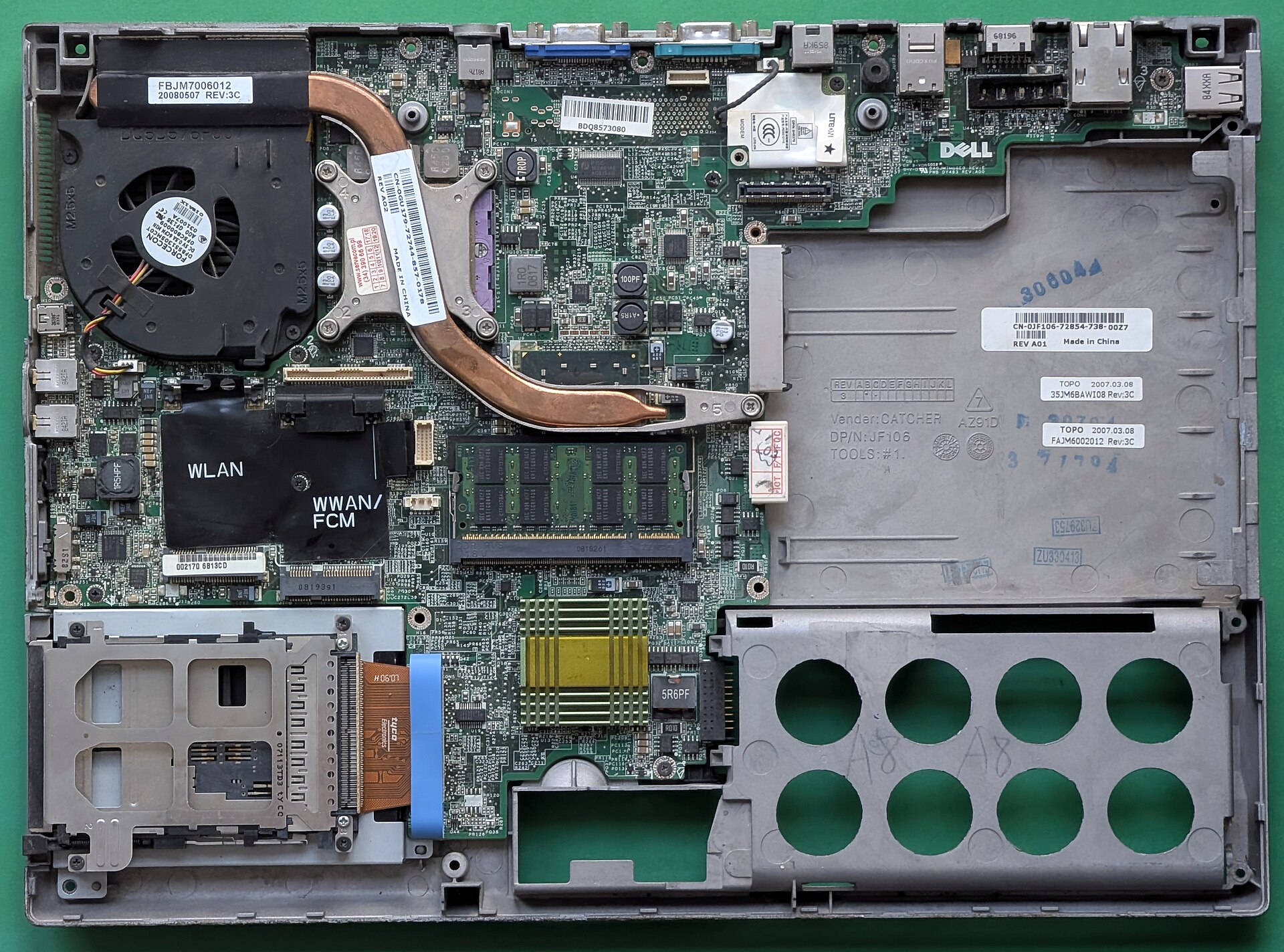
The tradeoff is memory. Like many modern compact laptops, the Dell Pro 14 Plus uses soldered LPDDR5x memory. That does not make it unrepairable, but it means you should buy the RAM you expect to need for the whole ownership period. For a work laptop that may be 32GB, not 16GB. This is where our RAM capacity guide matters: a repairable chassis cannot fix a memory ceiling you accepted at checkout.
Best for: buyers who want a business laptop with accessible battery and SSD service, plus Dell warranty options.
Skip if: memory upgrades are central to your longer-ownership plan.
How to choose between them
Choose Framework Laptop 13 if repairability is the main reason you are shopping. It has the clearest consumer parts story, the easiest upgrade path, and the strongest community around long-term ownership. If you are already considering Framework, read our deeper Framework Laptop review before deciding which configuration makes sense.
Choose Framework Laptop 16 only if you need the bigger platform. Its modular GPU and Expansion Bay are rare, but size and cost are real penalties. It is not a sensible default just because it is repairable.
Choose ThinkPad T14 Gen 6 if you need a mainstream business laptop and can check the exact configuration. The T-series direction is good, especially where SODIMM memory and serviceable parts are present. Do not assume every T14 is equally upgradeable.
Choose Dell Pro 14 Plus if you want a serviceable office laptop with practical access and support options. It is less ideal for enthusiasts, but it may be easier for small teams that already use Dell support.
For adjacent buying decisions, compare this guide with our UK student laptop picks, NVMe SSD upgrade guide, USB-C vs Thunderbolt dock guide, and UK laptop buying-window guide. Those pages cover common ownership decisions that sit next to repairability: memory, storage headroom, buying timing, and accessory compatibility.
FAQ
What is the best repairable laptop to buy in the UK?
For most repair-focused buyers, the Framework Laptop 13 is the clearest starting point because Framework sells parts, publishes guides, and designs the machine around user replacement. The Framework Laptop 16 is more modular, but it is larger, pricier, and aimed at a narrower user. Business buyers should also compare ThinkPad and Dell configurations where service manuals, support cover, and exact memory type are visible before purchase.
Is replaceable RAM more important than a replaceable battery?
Both matter, but they solve different problems. A replaceable battery extends day-to-day life after capacity fades. Replaceable RAM protects against workload growth. If you keep many browser tabs, virtual machines, development tools, or creative apps open, memory headroom can matter more than CPU speed. If your workload is simple and stable, battery replacement may matter more over a five-year ownership cycle.
Are soldered components always bad?
No. Soldered memory can help thinness, power efficiency, and signal integrity. The downside is ownership risk: if you buy too little memory, you cannot upgrade it later. Soldered Wi-Fi or memory can also turn some failures into board-level repairs. The practical answer is to treat soldered parts as a commitment. Buy enough capacity up front, and avoid soldered limits in machines you expect to keep for many years.
Can warranty service replace DIY repairability?
Warranty service helps, but it is not the same thing. A good warranty can reduce downtime during the cover period. DIY repairability matters after warranty, when you want to replace a battery, SSD, port board, or keyboard without paying for a full service event. The best long-ownership setup is clear warranty cover plus a realistic parts path after that cover ends.
Which repairable laptop is best for students?
Most students should start with course software, battery life, keyboard comfort, and budget before repairability. The Framework Laptop 13 is attractive for long ownership, but it may cost more than a conventional student laptop. If the machine needs to survive several years of coursework and part-time work, repairability has real value. If the budget is tight, our UK student laptop guide gives course-first tradeoffs.
Should I buy used business laptops for repairability?
Used ThinkPads, Latitudes, and EliteBooks can be good repairable buys, but battery health, BIOS locks, keyboard layout, screen quality, charger condition, and warranty status matter. A cheap used laptop can become expensive if the battery is worn, the screen is poor, or the seller cannot prove ownership status. For a new purchase, current parts availability is easier to verify before checkout.
Bottom line
The Framework Laptop 13 is the straightforward repairability pick because the parts, guides, and upgrade model all point in the same direction. The Framework Laptop 16 is the specialist choice for modular performance. Lenovo's ThinkPad T14 Gen 6 and Dell's Pro 14 Plus are more conventional, but they prove that longer ownership is not only for hobbyists. The smart move is to choose the repair path before you choose the processor.
Image credits
The four local images used in this article are open-license Wikimedia Commons files: Framework Laptop AMD 13 DIY setup, Thcipriani, CC BY-SA 4.0; Framework Laptop 13 AMD Ryzen internals, Ogidya, CC BY 4.0; ThinkPad T14, Edvard10, CC0 1.0; and Internal components of a Dell Latitude D830 laptop, Siarhei Besarab, CC BY-SA 4.0.


Sources
Primary and independent source URLs are linked in the relevant sections above. Key references include Framework's UK Laptop 13, Laptop 16, Marketplace, and Guides pages; iFixit repair information; The Verge's 2025 Framework Laptop 13 and Laptop 16 reviews; Lenovo PSREF; Lifewire and Windows Central reporting on ThinkPad repairability; Dell's UK product and support pages; IT Pro's Dell Pro 14 Plus review; and the Wikimedia Commons image source pages credited above.