Wi-Fi 7 vs Wi-Fi 6E: Is the Router Upgrade Worth It?
A router upgrade feels simple until the new box arrives and the old problems remain. The study still drops video calls, the console still prefers Ethernet, and the fastest broadband speed only appears beside the router. That is why the Wi-Fi 7 vs Wi-Fi 6E decision should start with the bottleneck in your home, not the largest number printed on a product page.
The short version: Wi-Fi 7 is the better forward-looking buy when you have multi-gig fibre, recent phones or laptops, and a home network that can use 6GHz, 320MHz channels, Multi-Link Operation, or multi-gig Ethernet. Wi-Fi 6E is still enough when you mainly want cleaner 6GHz spectrum for today's devices and your broadband plan, walls, or wired ports are the real limits.
PKH Computing is reader-supported. Our review approach is explained on our /about/ page and our evidence rules are set out in the /editorial-policy/. We have not run first-hand lab tests for this comparison; the guidance below combines Wi-Fi Alliance documentation, UK spectrum rules, manufacturer specifications, and independent testing or analysis from reputable outlets.
Wi-Fi 7 vs Wi-Fi 6E: Quick Verdict
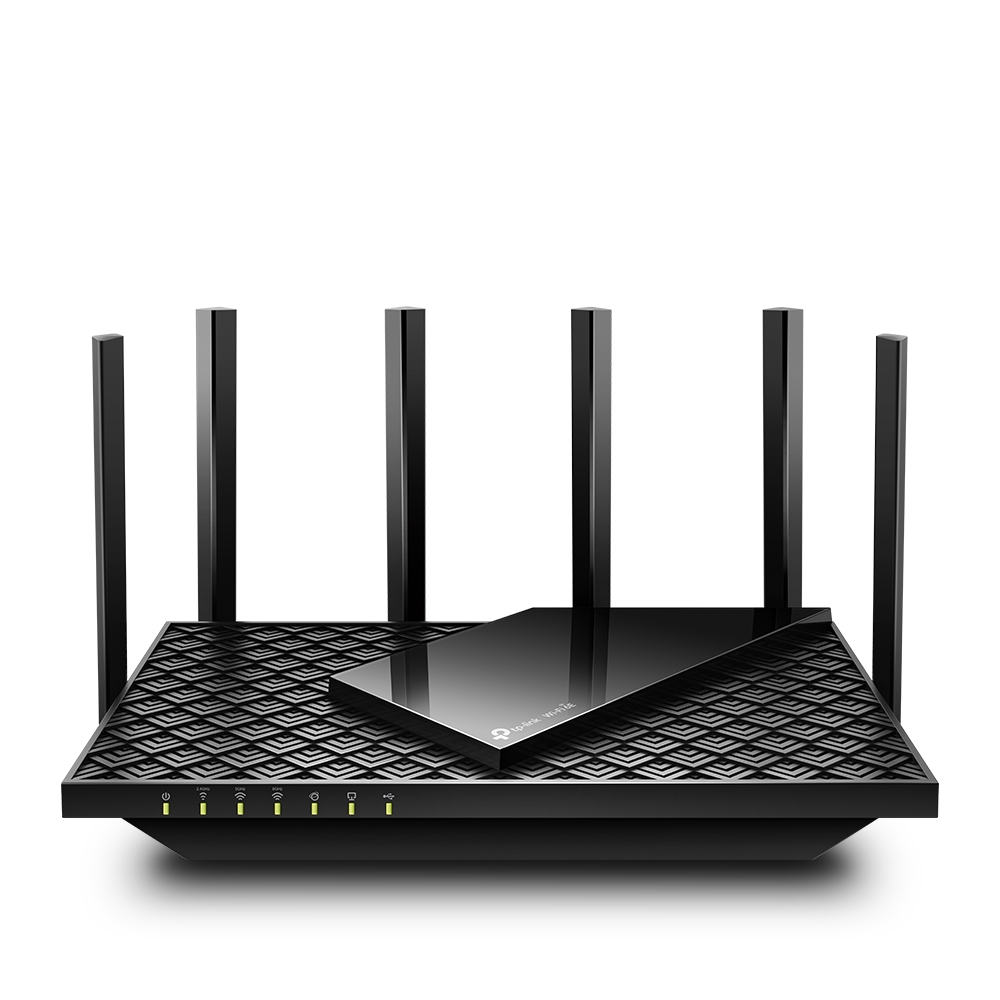
Wi-Fi 6E extended Wi-Fi 6 into the 6GHz band. That matters because 6GHz can be less congested than 2.4GHz and 5GHz, so compatible devices can get cleaner short-range links. A representative UK-available router is the TP-Link Archer AXE75, which TP-Link lists as an AXE5400 tri-band Wi-Fi 6E model with 160MHz support, gigabit WAN and LAN ports, USB 3.0, HomeShield, OneMesh, and a 6GHz band.
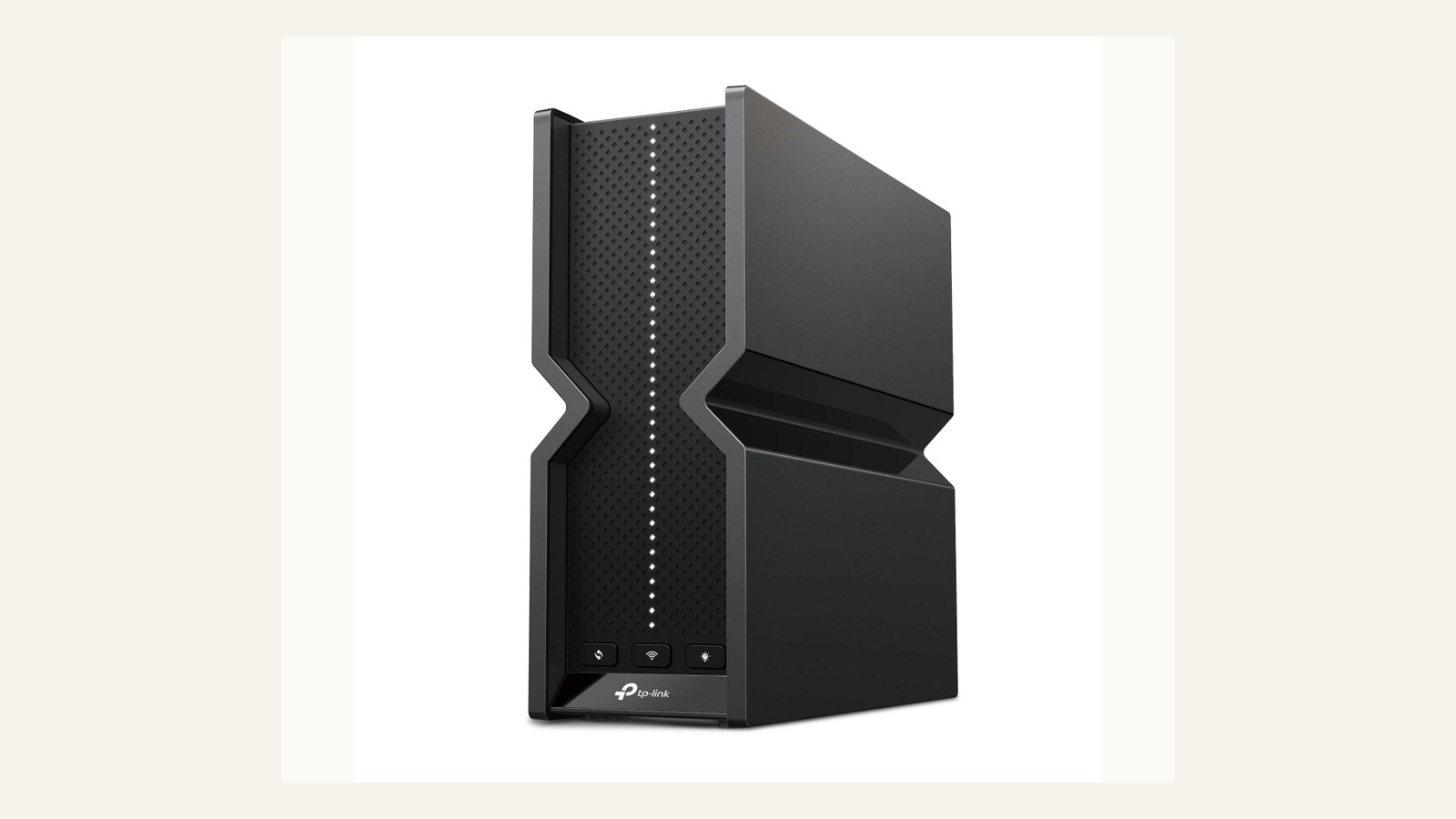
Wi-Fi 7 builds on that 6GHz base with tools for faster and denser homes. The Wi-Fi Alliance's Wi-Fi CERTIFIED 7 material highlights 320MHz channels, 4K QAM, and Multi-Link Operation. TP-Link's Archer BE550 is a practical example: its UK page lists BE9300 tri-band Wi-Fi 7, 320MHz support, MLO, and five 2.5Gbps Ethernet ports.
Specification Comparison
| Question | Wi-Fi 7 | Wi-Fi 6E |
|---|---|---|
| Main upgrade over Wi-Fi 6 | Wider channels, MLO, 4K QAM, better multi-band coordination | Adds 6GHz access to Wi-Fi 6 features |
| Maximum channel width | Up to 320MHz on 6GHz where regulation and hardware allow | Up to 160MHz |
| 6GHz support | Common on tri-band Wi-Fi 7 routers, but not every low-cost Wi-Fi 7 device includes it | Core reason to buy Wi-Fi 6E |
| Multi-Link Operation | Yes, with compatible routers and clients | No |
| Client support | Newer phones, laptops, and desktops only | Broader than Wi-Fi 7, but still not universal |
| Wired bottleneck risk | Lower on models with 2.5G or 10G ports | Many affordable models still rely on gigabit ports |
| Sensible buyer | Multi-gig fibre, new devices, wired backhaul, longer ownership | 6GHz laptops or phones, sub-gigabit broadband, value upgrade |
What Wi-Fi 7 Actually Adds
The headline Wi-Fi 7 features are conditions, not magic speed buttons. A 320MHz channel can carry more data than a 160MHz channel, but it needs 6GHz spectrum, compatible client hardware, and regulation that permits that channel width. TP-Link's BE550 footnotes make the same practical point: Wi-Fi 7 features such as MLO, 320MHz bandwidth, 4K QAM, Multi-RU, OFDMA, and MU-MIMO require clients that support the matching feature.
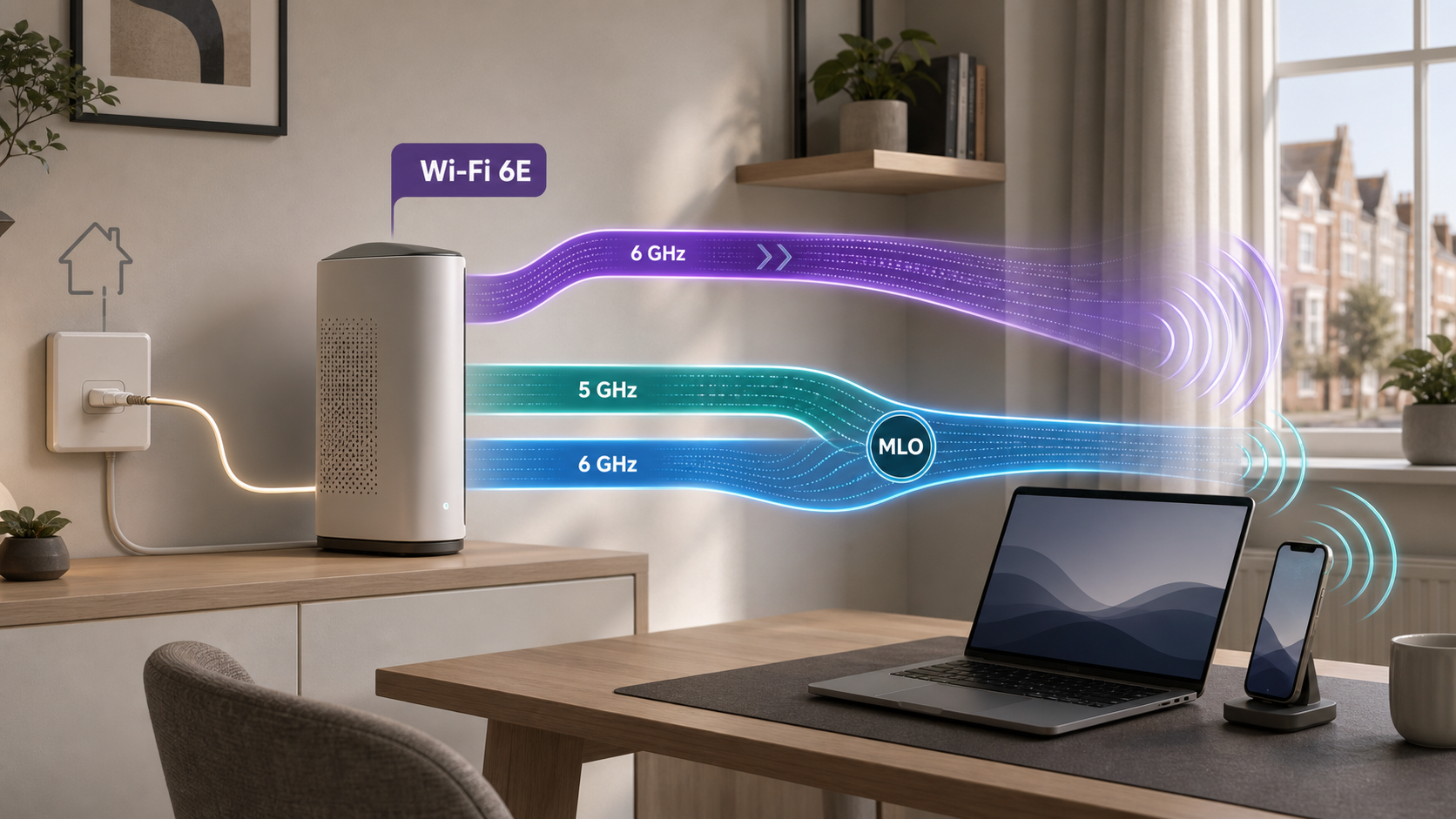
Multi-Link Operation is the more interesting everyday change. Instead of treating 2.4GHz, 5GHz, and 6GHz as completely separate choices, Wi-Fi 7 can coordinate links across bands on compatible devices. That can improve throughput, latency, or reliability, but implementation still matters. Research on MLO shows that using multiple links can reduce delay in demanding traffic patterns, while also finding edge cases where contention can create anomalies. For a home buyer, MLO is useful potential, not a guarantee that every room becomes faster.
4K QAM is similar. It packs more data into each signal step than Wi-Fi 6's 1024-QAM, but it works best at strong signal quality. If the router sits behind brick walls or inside a media cabinet, placement and backhaul may matter more than the modulation label.
What Wi-Fi 6E Still Does Well
Wi-Fi 6E remains useful because it solves a real congestion problem without demanding the newest client fleet. If you already own Wi-Fi 6E laptops, recent tablets, or phones, a 6E router can move those devices onto 6GHz while older devices stay on 5GHz or 2.4GHz. In flats, terraces, and busy streets where neighbouring 5GHz networks are crowded, that cleaner band can be more noticeable than chasing a theoretical Wi-Fi 7 peak.
The TP-Link Archer AXE75 is a useful example of why 6E has not become obsolete. It is tri-band, includes the 6GHz band, supports 160MHz channels, and is still a straightforward router rather than a high-end multi-gig platform. The limitation is longevity. A Wi-Fi 6E router will never gain Wi-Fi 7 MLO or 320MHz operation. If you are buying for a five-year network cycle and already have Wi-Fi 7-capable devices, 6E starts to look like a value stopgap rather than the main upgrade.
UK Spectrum, 6GHz Range, and ISP Constraints
UK buyers should treat 6GHz as a short-range high-capacity layer. Ofcom's 2020 decision made the lower 6GHz band, 5925-6425MHz, available for Wi-Fi and other RLAN technologies, and also enabled very-low-power outdoor use. That does not mean a UK home gets the same 6GHz conditions as every other country, and it does not mean 6GHz travels like 2.4GHz.
In practical terms, 6GHz is excellent near the router or mesh node and weaker through distance, floors, and masonry. For a router in the hallway and a home office two walls away, a Wi-Fi 7 upgrade may disappoint unless you also fix placement or add a mesh node. For a desk in the same room as the router, 6GHz can be the cleanest link in the house.
Your ISP handoff also matters. Full fibre usually arrives through an ONT with Ethernet, but some providers require PPPoE credentials, VLAN settings, or their hub in the chain. Virgin Media cable users often need modem mode on the Virgin hub. FTTC and VDSL users still need a DSL modem or ISP router. Before buying, confirm whether the new router can connect directly to your broadband setup.
Wired Backhaul Can Matter More Than the Wi-Fi Label
A strong Wi-Fi 7 router can still be limited by one gigabit Ethernet port. That is why the wired side belongs in the comparison. The Archer BE550's five 2.5Gbps ports are more useful for many UK full-fibre homes than a bigger wireless number with only gigabit LAN. At the higher end, current Wi-Fi 7 mesh systems and routers increasingly combine 2.5G, 5G, or 10G ports with 6GHz radios, which is the point where a network can move beyond a single gigabit ceiling.
For mesh systems, wired backhaul is often the difference between a real upgrade and a prettier app. If you can run Ethernet to a node upstairs or into a garden office, even a modest mesh kit can outperform a premium router trying to blast through walls. If you cannot run cable, node placement becomes critical: put the node where it still receives a strong signal, not in the room that is already dead.
This is where our /best/best-wifi-7-routers-uk-homes/ guide is the natural next read. The comparison here explains the technology decision; the router guide maps specific Wi-Fi 7 hardware to UK homes, ports, mesh needs, and ISP realities.
When the Wi-Fi 7 Upgrade Is Worth It
Upgrade to Wi-Fi 7 if several pieces line up. First, your broadband or local network should be fast enough to benefit. A 2Gbps fibre plan, a 2.5G desktop, a NAS, or a wired gaming PC gives the router somewhere to send the extra capacity. Second, your devices should include Wi-Fi 7 clients now or in the near future. Recent laptops with compatible chipsets and newer high-end phones are where the upgrade starts to make sense.
Third, the home layout should let 6GHz work. A central router in an open-plan flat is a better candidate than a router trapped beside the front door in a thick-walled house. If your home needs several nodes, budget for a mesh system with good backhaul rather than a single flagship router. Independent evidence supports this cautious view. Wired's Deco BE85 review praised fast Wi-Fi 7 mesh performance but also noted cost, subscription features, and limited Wi-Fi 7 client availability at the time. Tom's Guide's router testing shows newer Wi-Fi 7 routers can deliver strong throughput, but the benefit depends on router class, distance, and client hardware.
When Wi-Fi 6E Is the Smarter Buy
Choose Wi-Fi 6E if your main goal is to give existing 6GHz-capable devices a cleaner band without paying for the newest ecosystem. It is especially reasonable for sub-gigabit broadband, smaller homes, rented flats, and users who do not own Wi-Fi 7 clients yet.
Wi-Fi 6E is also sensible when the current router is old but the rest of the network is ordinary. If your laptop, phone, console, TV, and NAS all top out at gigabit or Wi-Fi 6E, a Wi-Fi 7 router may spend most of its life waiting for better clients. In that situation, router placement, an Ethernet run, or a practical mesh kit can produce more reliable gains.
Do not buy Wi-Fi 6E just because it is cheaper if you are about to refresh several devices. If a new laptop, motherboard, phone, or full-fibre plan is already planned, Wi-Fi 7 may avoid a second router purchase later.
Security, Subscriptions, and Ownership
Wi-Fi generation is only one part of router ownership. Look for WPA3, automatic firmware updates, guest networks, IoT isolation, clear parental-control terms, and whether security features require a subscription. TP-Link positions HomeShield on both BE550 and AXE75, but its own product notes say fees apply for the Pro plan. That changes long-term value if parental controls, VPN features, or threat filtering sit behind a paid tier.
Also check management style. Some users want a simple app. Others want local browser controls, VLAN options, VPN settings, and detailed device controls. A router that is technically fast but hides the settings you need is not a good upgrade.
For adjacent upgrades, see our /best/best-wifi-7-routers-uk-homes/ overview, /guides/usb-c-vs-thunderbolt-docks/ for dock and port compatibility, /best/best-student-laptops-uk-2026/ for client-device context, and /best/best-nvme-ssds-pc-upgrades/ if local storage and wired transfers are part of the same refresh.
Final Verdict
Wi-Fi 7 is worth it when the whole chain is ready: multi-gig broadband or local networking, Wi-Fi 7 clients, good router placement, and wired backhaul where the house needs it. It is the stronger long-term buy for serious home networks and new hardware cycles.
Wi-Fi 6E is still worth buying when you want 6GHz relief for existing devices, your broadband is below multi-gig, or your real problem is coverage rather than peak throughput. The mistake is treating either label as a cure-all. The router is only one link in the home network, and the right buy is the one that fixes the actual weak point.
FAQ
Is Wi-Fi 7 faster than Wi-Fi 6E?
Yes, under the right conditions. Wi-Fi 7 can use 320MHz channels, MLO, and 4K QAM, while Wi-Fi 6E tops out at 160MHz and does not support MLO. You need compatible clients and strong signal quality to see the largest gains.
Do I need Wi-Fi 7 for gigabit fibre?
Not always. A good Wi-Fi 6E or even Wi-Fi 6 setup can serve many gigabit homes. Wi-Fi 7 becomes more compelling when you have multi-gig service, 2.5G or 10G wired devices, or recent clients that support the newer standard.
Is 6GHz better than 5GHz?
6GHz can be cleaner and faster at short range because it is less crowded and supports wide channels. It is not better for every room. It usually has shorter reach through walls and floors, so placement and mesh design matter.
Will Wi-Fi 7 improve old devices?
Only indirectly. Older Wi-Fi 5, Wi-Fi 6, or Wi-Fi 6E devices cannot use Wi-Fi 7-only features. They may benefit from a better router, improved placement, or less congestion, but they will not become Wi-Fi 7 clients.
Should I upgrade from Wi-Fi 6E to Wi-Fi 7 now?
Upgrade if your 6E network is the bottleneck and you have Wi-Fi 7 clients or multi-gig networking. Wait if your current 6E router covers the home reliably and your devices, ISP plan, or Ethernet ports cannot use the extra headroom.
Is Wi-Fi 7 mesh better than one router?
Mesh is better when coverage is the issue. One router is better when the home is compact and the router can be placed centrally. A Wi-Fi 7 mesh kit with wired backhaul is usually stronger than a single high-end router in a larger UK home.
Sources
- Wi-Fi Alliance: Wi-Fi CERTIFIED 7
- Wi-Fi Alliance: Wi-Fi Alliance brings Wi-Fi 6 into 6 GHz
- Ofcom: Improving spectrum access for Wi-Fi
- TP-Link UK: Archer BE550 specifications
- TP-Link UK: Archer AXE75 specifications
- Wired: TP-Link Deco BE85 review
- Tom's Guide: Best Wi-Fi routers
- Carrascosa-Zamacois et al.: Understanding Multi-link Operation in Wi-Fi 7