Best Wi-Fi 7 Routers for UK Homes
A faster fibre package does not always make the home feel faster. In many UK homes, the weak point is the router location, old Ethernet ports, thick internal walls, or a bundled ISP hub trying to serve phones, laptops, consoles, TVs, cameras, and smart speakers from a hallway cupboard.
The practical answer is not to buy the router with the largest number on the box. The best Wi-Fi 7 routers for UK homes are the ones that match your broadband handoff, rooms, and wired devices. A small flat with an Openreach ONT needs a different setup from a three-storey terrace with a garden office.
PKH Computing is reader-supported; our approach is explained on our /about/ page and in our /editorial-policy/. We have not run our own lab measurements for this guide. The shortlist below combines manufacturer specifications, UK spectrum rules, support details, and independent editorial coverage from Tom's Guide, Wired, and TechRadar.
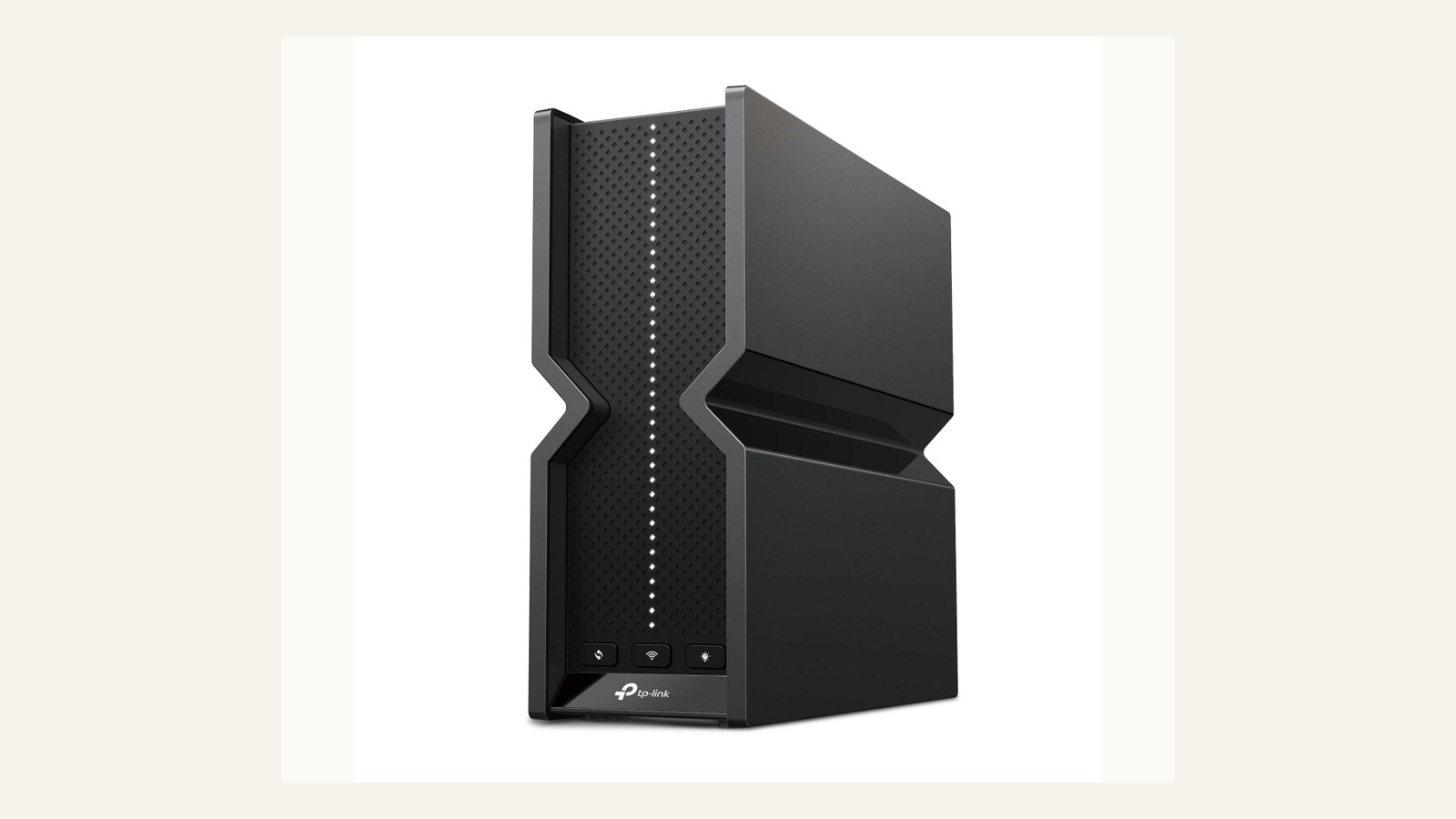
Quick Picks for the Best Wi-Fi 7 Routers UK Buyers Should Shortlist
| Pick | Best fit | Key hardware | Watch-outs |
|---|---|---|---|
| TP-Link Archer BE550 | Sensible single-router upgrade | Tri-band BE9300, 6GHz, five 2.5GbE ports | No 10G Ethernet |
| NETGEAR Nighthawk RS700S | High-end single-router homes | Tri-band BE19000 class, 10G internet and 10G LAN | Premium ownership cost |
| TP-Link Deco BE85 | Larger homes with wired backhaul | BE19000 mesh, 10G/SFP+ and 2.5G per unit | App-led ecosystem |
| Amazon eero Max 7 | Simple smart-home mesh | Wi-Fi 7 mesh, 10GbE-class ports, Thread, Zigbee, Matter | Advanced controls need eero Plus |
Use the shortlist by problem, not by headline speed: Archer BE550 for a sensible single router, RS700S for 10G use, Deco BE85 for coverage and wired backhaul, and eero Max 7 for simple mesh with hub features.
UK ISP Compatibility: Router, Modem, ONT, and PPPoE
Before buying, check what your broadband service hands to your router. Wi-Fi 7 does not remove the need for the right WAN connection.
If you have full fibre from Openreach, CityFibre, Hyperoptic, Community Fibre, or a similar network, the wall-mounted ONT usually provides Ethernet. A standalone router can normally connect to that Ethernet WAN port, but you may still need PPPoE credentials, VLAN settings, or ISP-specific setup details. TP-Link lists PPPoE among supported WAN types for the Archer BE550, and its notes say a separate modem or gateway may be required.
Virgin Media cable is different. The usual approach is to place the Virgin hub into modem mode, then connect the new router behind it. If you still use FTTC or VDSL through a phone socket, a Wi-Fi 7 router does not replace the DSL modem unless your ISP hub or a separate modem stays in the chain.
That is why "works in the UK" is not precise enough. Check whether your home has Ethernet from an ONT, a cable hub in modem mode, or a DSL modem requirement, and whether voice, TV, or support diagnostics require the ISP router to stay connected.
How Wi-Fi 7 Helps, and Where UK 6GHz Limits Matter
Wi-Fi 7 brings wider 320 MHz channels, 4K-QAM, and Multi-Link Operation. Compatible devices can use more spectrum, carry more data per signal, and coordinate across bands for better speed or reliability.
The catch is client support. A Wi-Fi 6 laptop will not gain Wi-Fi 7-only features because the router changed. TP-Link's notes make the same point: features such as MLO, 320 MHz bandwidth, and 4K-QAM require compatible clients.
UK 6GHz access is also shaped by regulation. Ofcom made the lower 6GHz band, 5925-6425 MHz, available for Wi-Fi and other RLAN technologies, with very-low-power outdoor use. That gives newer devices cleaner spectrum, but 6GHz is still best at shorter range and will not push cleanly through several brick walls from a cupboard.
For many homes, the biggest upgrade is not peak wireless speed. It is moving from a weak ISP hub to a router with better antennas, cleaner band steering, stronger wired ports, and more sensible placement. If your existing Wi-Fi 6E network already covers the house, compare the tradeoff in our /versus/wifi-7-vs-wifi-6e/ guide before paying for a Wi-Fi 7 system.
Pick 1: TP-Link Archer BE550 for Most Single-Router Upgrades
The Archer BE550 is the most balanced pick for a flat, smaller house, or tidy semi-detached setup where one well-placed router can do the job.
TP-Link's UK page lists BE9300 tri-band Wi-Fi 7: 5760 Mbps on 6GHz, 2880 Mbps on 5GHz, and 688 Mbps on 2.4GHz. It also lists EasyMesh support, WPA3, HomeShield, auto firmware upgrade, VLAN support, and all five Ethernet ports at 2.5Gbps.
That makes it a strong fit for 500Mbps, 900Mbps, or 1Gbps full-fibre homes that want headroom without jumping to a 10G router. It also suits one or two wired devices near the router: a gaming PC, a NAS, a 2.5G switch, or a desktop dock.
The limitation is coverage. A single router still depends on placement, wall material, and distance. If your main issue is one room with no signal, start with the Wi-Fi 7 vs Wi-Fi 6E decision in /versus/wifi-7-vs-wifi-6e/ and think about mesh placement before buying a stronger-looking single box.
Pick 2: NETGEAR Nighthawk RS700S for High-End Single-Router Homes
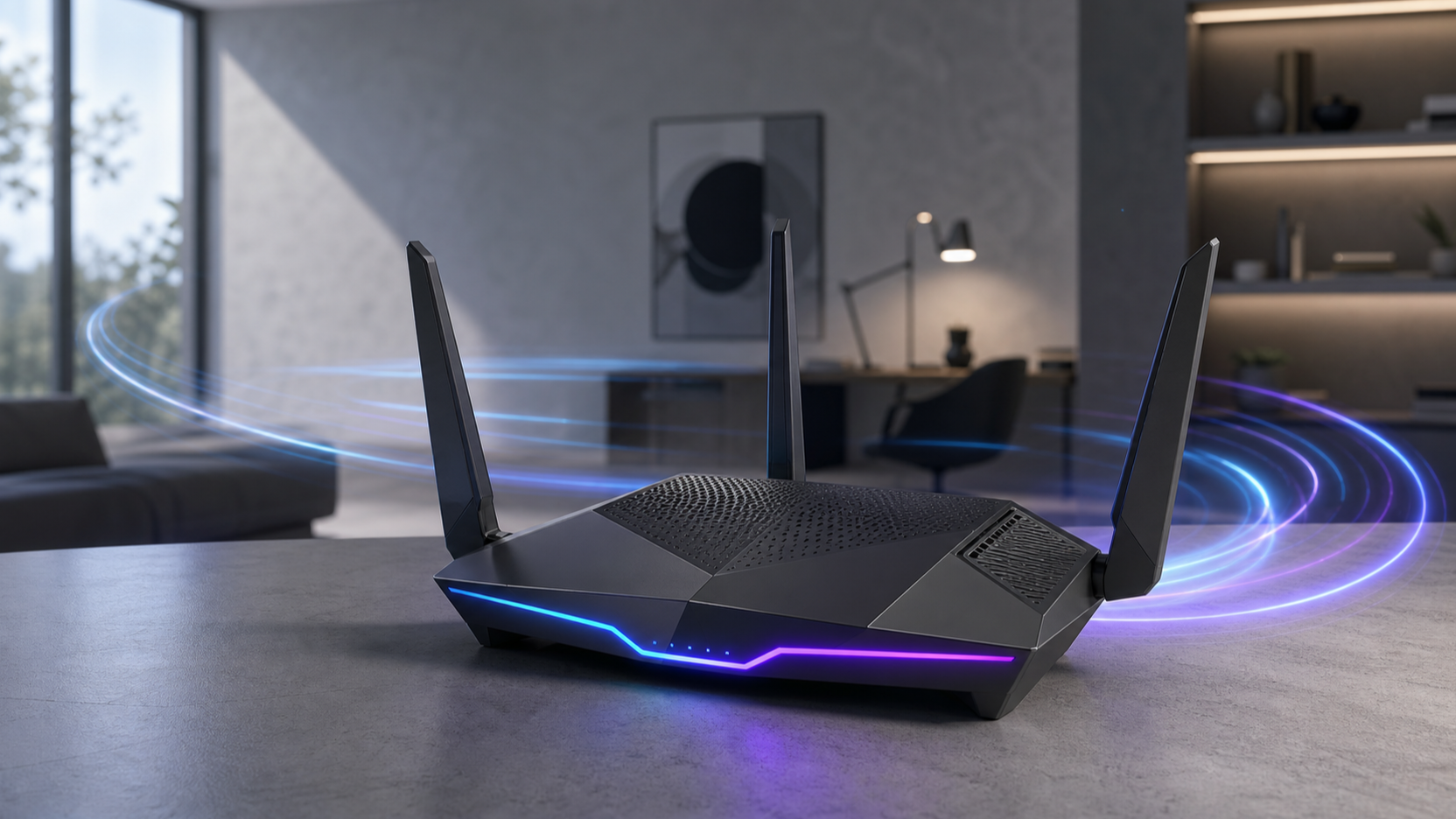
The Nighthawk RS700S suits a specific buyer: a home with a central router position, multi-gig fibre, or a wired workstation that can use 10G.
NETGEAR's UK page lists tri-band Wi-Fi 7 up to 19Gbps class, one 10Gbps internet port, one 10Gbps LAN port, four gigabit LAN ports, USB 3.0 storage support, WPA3, automatic firmware updates, separate main, IoT and guest networks, plus optional NETGEAR Armor.
The tradeoff is value. If your broadband is below gigabit and your wired devices are only gigabit, the 10G hardware may sit mostly unused. If you have a 10G switch, high-speed NAS, or heavy local storage traffic, it is a clear single-router upgrade. If you only want better bedroom coverage, spend the money on mesh or cabling instead.
Security is also part of the ownership cost. Automatic firmware updates and separate IoT or guest networks are useful defaults, but Armor is optional. Treat it as a subscription decision, not as a reason to overbuy the router.
Pick 3: TP-Link Deco BE85 for Large Homes and Wired Backhaul
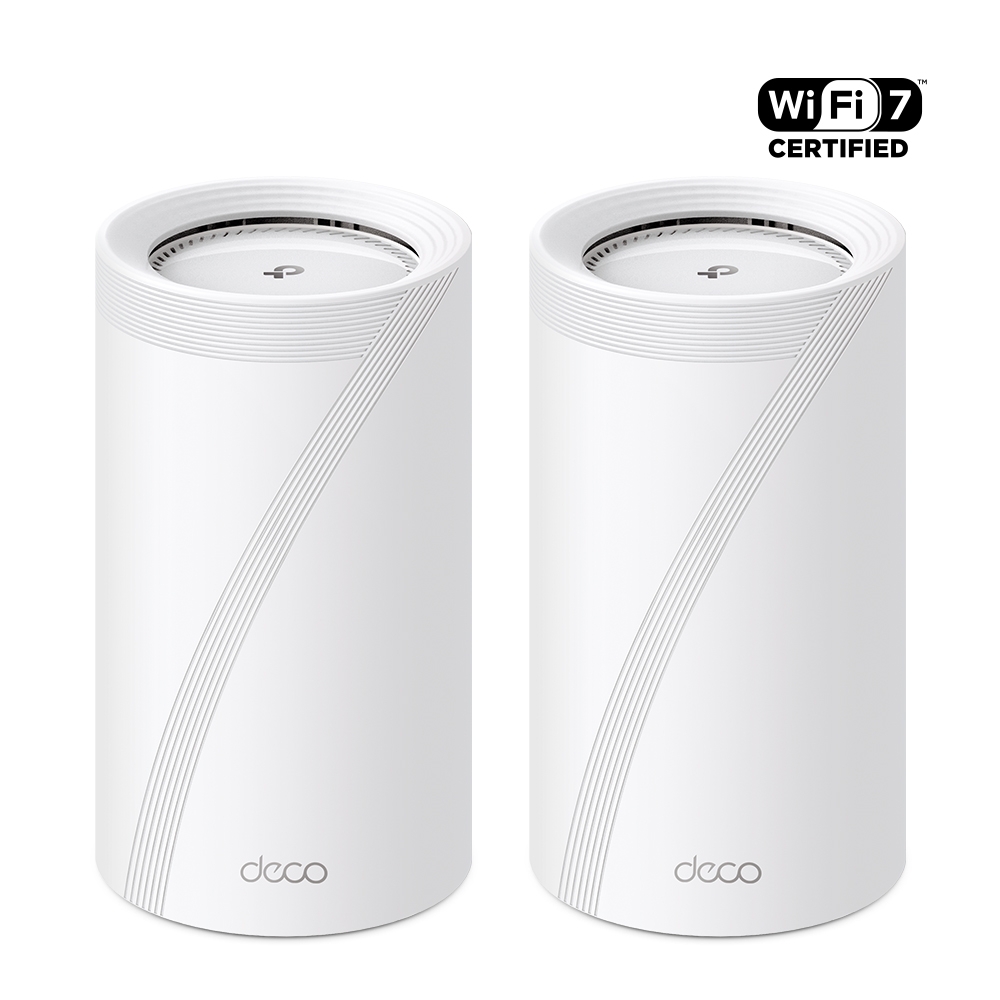
The Deco BE85 is the practical mesh choice when the router is stuck near the front door and the office, gaming room, or TV is two floors away.
TP-Link's UK page lists a 12-stream BE19000 tri-band system, 11520 Mbps on 6GHz, 5760 Mbps on 5GHz, and 1376 Mbps on 2.4GHz. More important for real houses, each unit includes one 10Gbps Ethernet/fibre combo WAN/LAN port, one 10Gbps WAN/LAN port, and two 2.5Gbps ports.
If you can run Ethernet between floors, wired backhaul is often more useful than chasing a higher wireless class. TP-Link says the BE85 can combine wireless and wired backhaul to improve throughput and reduce latency. That matters in UK homes with brick walls, extensions, loft rooms, or garden offices.
The BE85 also makes sense if you want wired ports away from the main router. A satellite node beside a TV, console, or desktop can provide Ethernet without putting every device on wireless. The caution is ecosystem fit: Deco is app-led, HomeShield has a free tier, and more advanced security or parental features may involve paid plans.
Pick 4: Amazon eero Max 7 for Simple Mesh and Smart Homes

The eero Max 7 is not the router for people who want every advanced setting exposed. It is for households that want clean app setup, automatic updates, and a mesh that doubles as a smart-home hub.
eero says Max 7 is aimed at busy networks with streaming, video calls, gaming, smart devices, multi-gig internet, and larger coverage areas. It also highlights Thread, Zigbee, Matter and Alexa support, compatibility with older eero devices, automatic updates, and eero Plus for advanced security, ad blocking, parental controls, VPN and related services.
Wired's review praised the easy setup, speed, coverage, smart-home hub role, and compatibility with other eero devices, while noting the high cost and subscription requirement for parental controls and security software. That is the right caution: eero Max 7 is polished, but its value depends on multi-gig broadband, Wi-Fi 7 clients, and whether eero Plus features matter to you.
Choose eero if you want a quiet system that mostly manages itself. Skip it if you want granular routing controls, local network tinkering, or the lowest long-term cost.
Full-Fibre Speeds, Wired Backhaul, and Home Size
Full fibre changes the router decision because Ethernet ports can become the bottleneck. A 1Gbps plan is fine on many routers, but a 2Gbps or faster line needs multi-gig WAN and LAN if you want one wired device to see the benefit.
For a compact home, a single Archer BE550 or RS700S can be cleaner than a mesh kit if it can sit centrally and openly. For medium and large UK houses, place the second mesh node where it still receives a strong signal, not inside the dead room.
For the strongest large-home setup, wire the mesh nodes. Ethernet backhaul reduces the performance penalty from distance, walls, and floors. If you are also refreshing a desktop setup, see our /guides/usb-c-vs-thunderbolt-docks/ guide for dock and desk compatibility, and our /best/best-nvme-ssds-pc-upgrades/ guide if local storage speed is part of the same upgrade cycle.
Students and renters should be more cautious. If router placement or ISP hardware is fixed, a premium Wi-Fi 7 system may be overkill. Our /best/best-student-laptops-uk-2026/ guide may be a better first upgrade if the client device is the weak link, and /guides/how-much-ram-do-you-need-2026/ can help if sluggish performance is coming from the laptop rather than the network.
Security, Subscriptions, and Long-Term Ownership
Wi-Fi routers sit between your home and the internet, so firmware updates, network separation, and support policy matter.
At a minimum, look for WPA3, guest networking, separate IoT networking, automatic or easy firmware updates, and clear vendor support pages. TP-Link lists HomeShield, WPA3, EasyMesh and auto firmware features for the Archer BE550. NETGEAR lists automatic firmware updates, main, IoT and guest networks, and optional Armor. eero leans on automatic updates and eero Plus.
Subscriptions are not automatically bad, but they change ownership cost. Pay for parental controls, VPN, ad blocking, malware filtering, or identity bundles only if you will use them. A household with children and many smart devices may value those features; a power user with a separate firewall or DNS filter may not.
Also check warranty and replacement cost. If the problem is poor router placement, a long Ethernet cable, a switch, or a cheaper mesh system may be the smarter first step.
FAQ
Do I need a modem with a Wi-Fi 7 router in the UK?
Yes, in some form. Full-fibre users normally connect the router to an Ethernet ONT. Cable users may put the ISP hub into modem mode. FTTC or VDSL users still need a DSL modem or ISP hub before the router.
Is 6GHz legal for Wi-Fi 7 in the UK?
Yes. Ofcom made the lower 6GHz band, 5925-6425 MHz, available for Wi-Fi and other RLAN technologies. Usable power, channel behaviour, and real range still depend on UK rules, router firmware, and client hardware.
Will Wi-Fi 7 make my old laptop faster?
Only partly. A better router and cleaner placement can reduce congestion, but an older Wi-Fi 5 or Wi-Fi 6 laptop will not use Wi-Fi 7-only features such as MLO or 320 MHz 6GHz channels.
Is mesh better than one powerful router?
Mesh is better when coverage is the problem. One powerful router is cleaner when the home is compact and the router can sit centrally. Mesh with wired backhaul is usually strongest for larger homes.
Should I pay for router security subscriptions?
Pay only for features you will use. Malware filtering, parental controls, VPN, and identity bundles can be useful, but basic secure routing should still include firmware updates, WPA3, guest networks, and sensible defaults.
Can I use Wi-Fi 7 with BT, Sky, Virgin Media, or other UK ISPs?
Often, yes, but setup differs. Full-fibre Ethernet ONTs are usually straightforward with the right WAN settings. Virgin Media normally needs modem mode. Some ISPs require PPPoE credentials, VLAN tags, or keeping the ISP router in the chain.
Final Verdict
Choose the TP-Link Archer BE550 if you want a sensible single-router upgrade with 2.5G ports. Choose the NETGEAR Nighthawk RS700S if you have a central router position and real 10G wired needs. Choose the TP-Link Deco BE85 if your house needs mesh and wired backhaul. Choose eero Max 7 if you want simple app-led mesh and smart-home integration.
Do not buy Wi-Fi 7 because the headline number is large. Buy it when your broadband handoff, devices, walls, and wired network can use what it offers. For our disclosure and review standards, see /about/ and /editorial-policy/.
Sources
- TP-Link UK: Archer BE550 specifications
- NETGEAR UK: Nighthawk RS700S specifications
- TP-Link UK: Deco BE85 specifications
- eero: eero Max 7 product page
- Ofcom: Improving spectrum access for Wi-Fi
- Tom's Guide: Best Wi-Fi 7 routers for 2026
- Wired: eero Max 7 review
- TechRadar: Asus RT-BE92U review